
 See Our Latest Article on HelloNation
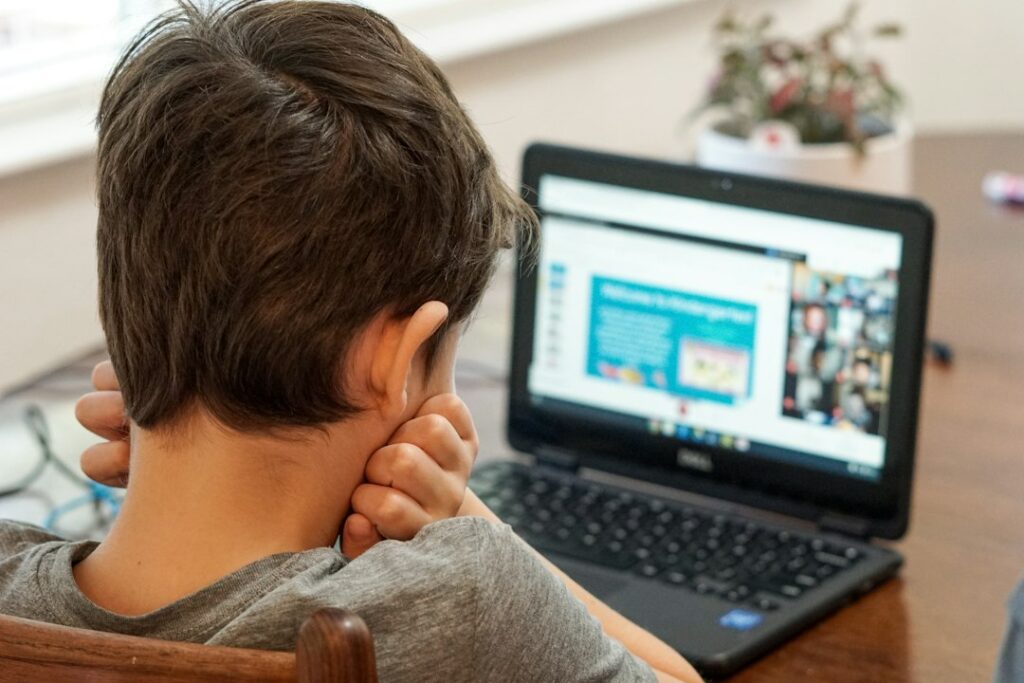
Why does ergonomics matter for children and students?
Ergonomics is the practice of arranging furniture, devices, backpacks, and daily activities so the body can work comfortably and efficiently. For children and students, good ergonomics can reduce unnecessary strain on the neck, shoulders, back, wrists, and eyes during homework, reading, gaming, and computer use.
Ergonomics does not mean a child must sit perfectly still or maintain one “ideal” posture all day. Children need to move, change positions, stretch, and take regular breaks. The main goal is to avoid long periods of awkward positioning, excessive pressure, or carrying more weight than necessary.
In Parma, seasonal weather can also affect study routines. During colder months, children may spend more time indoors completing homework, using digital devices, or studying at kitchen tables and other shared household spaces. A few simple adjustments can make those activities more comfortable.
How should a child’s study space be arranged?
A child’s feet should be supported, the work surface should allow relaxed shoulders, and frequently used materials should be within easy reach. Furniture does not need to be expensive or specially designed if it can be adjusted to fit the child.
For a seated study area:
- The child’s feet should rest on the floor or on a stable footrest.
- Knees should be bent comfortably, generally near a right angle.
- The chair should support the lower and middle back without forcing the child forward.
- Shoulders should remain relaxed rather than lifted toward the ears.
- Elbows should stay close to the body while writing or using a keyboard.
- The desk should leave enough room for the legs and allow the child to sit close to the work.
A dining chair may work for homework if the child can sit with back support and place the feet securely. If the chair is too tall, a firm footrest or sturdy box can provide support. Stacking unstable objects under the feet is not a safe solution.
What is the best posture for homework?
There is no single posture that prevents every ache. A comfortable, supported posture that changes regularly is more realistic and beneficial than trying to hold a rigid position.
A child should generally face the work directly rather than twisting the neck or torso to one side. Written materials can be placed in front of the child or slightly to the side at a comfortable angle. Leaning forward briefly is normal, but spending an entire homework session with the head close to the desk can increase neck and upper-back fatigue.
Parents and caregivers can look for these practical signs:
- The head is generally balanced over the shoulders.
- The back is supported instead of rounded continuously.
- The child is not sitting on one leg for long periods.
- The writing hand and forearm are supported when possible.
- The child can reach books, pencils, and devices without repeated twisting.
Children should be allowed to stand, kneel briefly, stretch, or work in another safe position for part of the day. Movement is usually more helpful than constant reminders to “sit up straight.”
How should laptops, tablets, and phones be used?
Laptops and tablets are convenient but often encourage children to look downward for long periods. This can lead to neck and shoulder fatigue, especially when the device is used on a bed, couch, or lap.
For longer assignments, raise the screen so it is closer to eye level. A laptop can be placed on a stable stand or a few sturdy books, while a separate keyboard may allow the hands and shoulders to remain in a more comfortable position. The screen should be directly in front of the child rather than off to one side.
A phone should not be held between the shoulder and ear. If a child is reading or watching something for an extended period, the device should be supported rather than held continuously in the hands. Screen brightness and glare should also be adjusted to reduce eye discomfort.
A useful rule is to change position before discomfort becomes strong. Looking across the room periodically, blinking often, and taking short movement breaks can help reduce eye and muscle fatigue.
How can families make homework breaks more effective?
Short, frequent breaks are often easier for children to follow than waiting until a long assignment is finished. During a break, the child can walk, refill a water bottle, stretch gently, or look away from the screen.
A practical routine may include:
- Standing or moving every 20 to 30 minutes.
- Looking at a distant object for several seconds during screen work.
- Rolling the shoulders gently and relaxing the hands.
- Switching between reading, writing, and other tasks.
- Avoiding homework in the same cramped position for hours.
Breaks should not become forceful stretching sessions. Gentle movement is appropriate; painful bending, twisting, or bouncing is not.

How heavy should a school backpack be?
A backpack should be as light as practical and should fit the child’s body. Pediatric guidance commonly recommends keeping the loaded pack to no more than about 10% to 20% of the child’s body weight, with lighter being preferable for smaller children or those already experiencing discomfort.
A properly fitted backpack generally has:
- Two padded shoulder straps used together.
- A back panel that rests against the child’s body.
- The bottom positioned around the lower back or just above the hips.
- Heavier items packed close to the back.
- Contents distributed so the pack does not pull sharply to one side.
A child who leans forward, shrugs the shoulders, struggles to put the backpack on, or reports recurring neck, shoulder, or back pain may be carrying too much or using a poor fit. Children should avoid carrying a backpack by one strap for long distances.
In winter, bulky coats can change how straps sit on the shoulders. The fit should be checked over the clothing the child normally wears, while still making sure the straps are not overly tight.
What ergonomic mistakes are easy to overlook?
Many discomfort problems come from the setup around the child rather than from posture alone. A desk that is too high may cause raised shoulders. A chair that is too deep may prevent a smaller child from using the backrest. Glare from a window can cause squinting and forward leaning. Clutter can force repeated reaching and twisting.
Other commonly overlooked issues include:
- Using a laptop on the floor for long periods.
- Reading with the neck bent sharply downward.
- Keeping the mouse or tablet far from the body.
- Sitting directly under strong overhead glare.
- Wearing a backpack that is only adjusted on one side.
- Continuing an activity after pain, numbness, tingling, or weakness begins.
Growing children may need their study setup checked several times each school year because their proportions change quickly.
When should discomfort be taken seriously?
Occasional tiredness after a long study session is common, but persistent or worsening symptoms deserve attention. A parent or caregiver should take note of pain that repeatedly interferes with sleep, schoolwork, sports, walking, or normal play.
Prompt medical evaluation is appropriate for symptoms such as significant weakness, loss of coordination, numbness that does not resolve, severe pain after an injury, or changes in bladder or bowel control. For less urgent but recurring discomfort, a child’s primary healthcare provider can help determine whether the cause relates to activity, vision, injury, muscle strain, or another condition.
Ergonomic adjustments are most effective when combined with regular movement, adequate sleep, safe physical activity, and attention to symptoms. The best setup is one that fits the child, changes as the child grows, and supports a balanced daily routine rather than forcing the body into one position.
